Your own version
Your own PocketGuard-style spending tracker on your iPhone
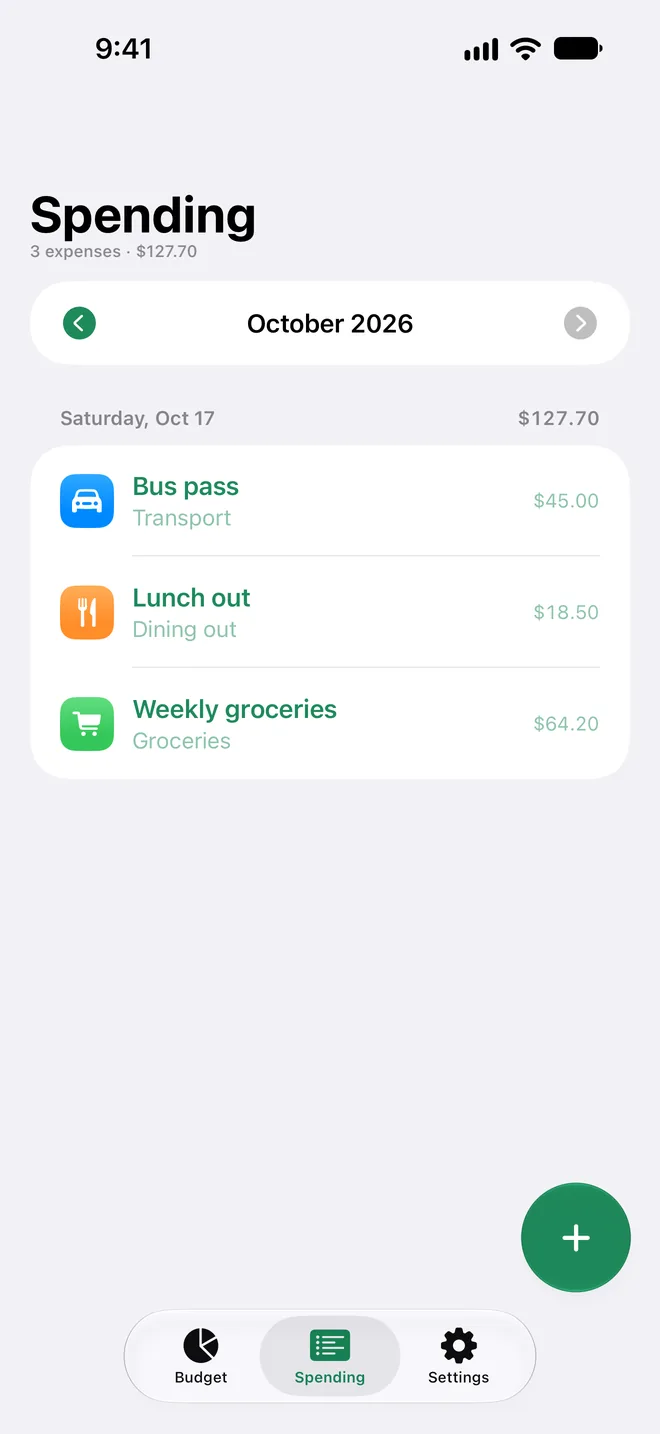
PocketGuard links to your bank and shows what's safe to spend after bills, debt payments, savings and goals. If you'd rather not link a bank, describe that sum to Borel: income, fixed bills, savings, and what remains per day. It writes a native spending tracker in Swift that shows that one number first, kept on your iPhone.
Updated . Borel isn’t connected to PocketGuard.
“A spending tracker built around one number. I enter my monthly income, my fixed bills with their due day, and what I want to save. The home screen shows what's left to spend today: the money remaining this month divided by the days to payday. I log a spend with an amount and a category. A Bills screen lists what's due next, and a Subscriptions screen totals my monthly and yearly charges per year. Remind me two days before each bill.”
About PocketGuard
What people like about PocketGuard
In our words, from what PocketGuard says about itself.
- One figure for what's safe to spend after bills, debt payments, savings and goals.
- Subscription tracking, with recurring and upcoming bills in one place.
- Bank connections in the US, Canada and the UK, plus cash accounts and a debt payoff plan.
PocketGuard Plus is listed at $74.99 billed yearly, $12.99 billed monthly or $149.99 as a one-time lifetime payment, all in US dollars, after a 7-day free trial.
Prices checked on .
Made for you
What your own spending tracker can do
What the prompt above builds, and what you can change by asking Borel in plain words.
One number on top
Left to spend today: income minus bills and savings, spread over the days until payday.
Bills on a timeline
Rent, phone, the gym: each with its day of the month, and a reminder two days ahead.
Subscriptions, named
Every monthly and yearly charge you list, with what they come to over twelve months.
Spends in three taps
Amount, category, done, and the daily number updates as you save it.
Said plainly
How it's different
- It doesn't link to bank accounts or cards; income, bills and spends are entered by hand.
- It lists only the subscriptions you enter.
- It gives no financial advice and makes no debt plan.
- Your app isn't PocketGuard and won't look or work like it: it has only what you ask Borel to build, and none of PocketGuard's own content.
- Your data stays in your own app: on your iPhone by default, or in your app's own database in Borel's cloud if you add accounts.
How to get yours
From the prompt to your home screen
- 1
Start from the prompt
Change anything in it first: names, rules, screens. Borel asks what it needs to know, then writes the app in Swift and SwiftUI.
- 2
Use it in your browser
It opens in a live iPhone simulator streamed from Borel's Mac, at no cost. Building starts free, with 5 free credits a day, up to 30 a month.
- 3
Keep it on your iPhone
With Pro, from $25 a month, Borel Companion installs it with a free Apple ID, up to 3 apps at a time, and renews each one every 7 days while it runs.
Frequently asked questions
It subtracts your bills and savings from your income, takes off what you've logged, and divides the rest by the days left until payday.
No. It has no view of your bank, so it lists the subscriptions you enter. Going through one bank statement by hand is a good way to fill it.
Yes. Each bill can carry a reminder a day or more ahead, shown on the lock screen.
No. PocketGuard Plus costs less than Borel Pro, on its monthly plan and on its yearly one. Keeping the apps you make on your iPhone comes with Pro, from $25 a month. It covers everything you make, so the comparison is fairer across several apps than for one.
Make your own spending tracker
Start from the prompt on this page and change it until it's yours. Borel builds it while you watch.